
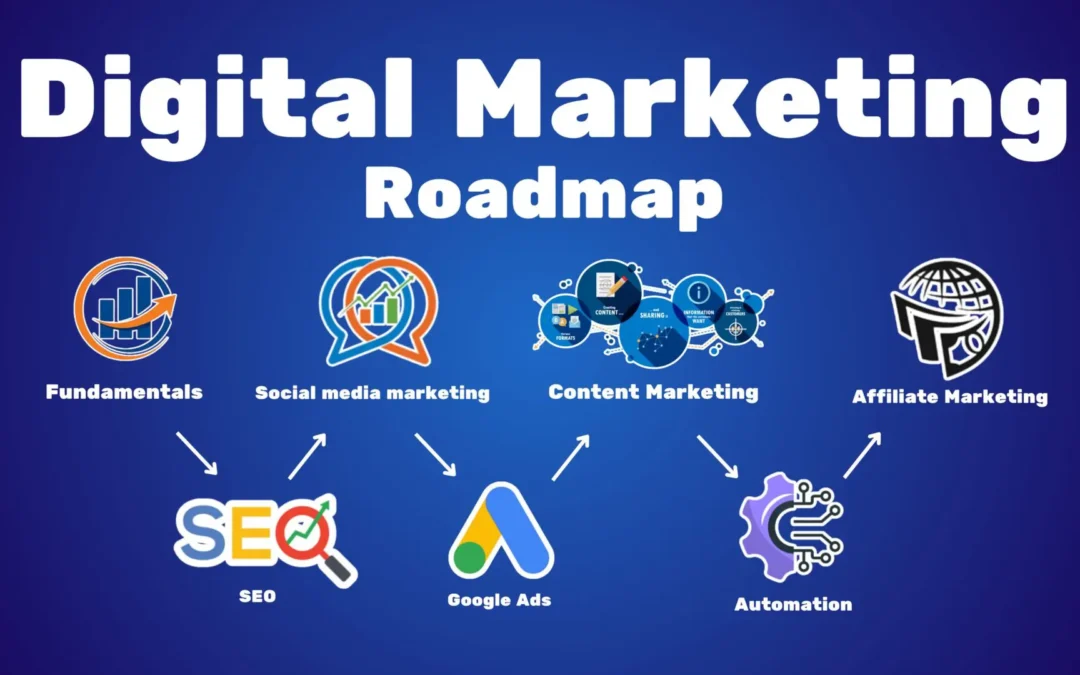
Full Guide Here =>
https://hvws.in/wp-content/uploads/2025/10/eWay-Book-Online-Marketing-EN.pdf
Quick overview
Audience: Beginners → intermediate marketers who want a job-ready skillset.
Format: 12 modules (self-paced or instructor-led).
Outcome: Build a working website, run a paid campaign, measure results with GA4, and deliver a full marketing plan & case study portfolio.
Learning outcomes (what you’ll be able to do)
- Create and publish a conversion-focused website.
- Plan, execute, and optimize content, SEO, email, social and paid campaigns.
- Track traffic & conversions with Google Analytics 4 and create reports.
- Build a month-long digital marketing plan and present measurable KPIs.
Course structure (modules + practical deliverables)
Module 0 — Orientation & course prep (1 session)
Goal: Set up your workspace & goals.
Tasks & deliverables:
- Choose a target industry or product (e.g., local bakery, SaaS demo, NGO).
- Create a simple learning plan and baseline KPI sheet (visits, leads, conversion rate).
- Tools sign-up checklist: Google account, free web host trial or domain, GitHub (optional), Canva, and one email provider.
Module 1 — Digital marketing fundamentals & strategy (2 sessions)
Topics: Marketing funnel (awareness → consideration → decision), buyer personas, value proposition, positioning, KPI selection.
Hands-on: Create 2 buyer personas and a 30-day funnel map for your chosen project.
Deliverable: One-page marketing strategy (audience, 3 KPIs, channels).
Module 2 — Website foundations & conversion UX (2–3 sessions)
Topics: Choosing a platform (WordPress/Wix/Squarespace), UX basics, landing page anatomy, conversion optimization best practices.
Hands-on: Build a 3-page site (Home, Offer/Landing, Contact) using WordPress + Elementor or a no-code builder. Add clear CTAs and an email capture form.
Deliverable: Live landing page URL and a short conversion rationale.
Module 3 — Content Marketing & Copywriting (2 sessions)
Topics: Content types (blogs, guides, video, social), headline & CTA writing, content calendar, repurposing.
Hands-on: Create a 4-post content calendar + write one SEO blog (800–1,200 words) and one social post series.
Deliverable: Content calendar + published blog post.
Module 4 — SEO (Search Engine Optimization) — On page & Technical (3 sessions)
Topics: Keyword research, on-page SEO, meta tags, site structure, internal linking, page speed basics, mobile SEO, structured data.
Hands-on: Do keyword research for one topic, optimize your blog post, run a basic technical audit (use free tools).
Deliverable: Optimized blog post + SEO checklist compliance screenshot.
Authoritative guide: follow Google’s SEO Starter Guide for fundamentals. Google for Developers
Module 5 — Local SEO (1 session) (if relevant)
Topics: Google Business Profile setup, local citations, reviews, local structured data.
Hands-on: Claim or create a Google Business Profile and publish the first post.
Module 6 — Analytics & measurement (GA4) (2–3 sessions)
Topics: GA4 basics — events, conversions, audiences, reports; measuring micro vs macro conversions; UTM tagging and campaign tracking.
Hands-on: Install GA4 on your site, create events for form submit and button click, set up a conversion, and create a basic acquisition → behavior → conversion report.
Deliverable: GA4 dashboard screenshot showing events & at least one conversion.
Important note: Universal Analytics stopped processing new data on July 1, 2023 — GA4 is the current analytics platform. Make sure you learn GA4. Google Help+1
Module 7 — Organic Social Media (2 sessions)
Topics: Channel selection (IG, Facebook, LinkedIn, X, TikTok), content types, scheduling, community building, basic analytics.
Hands-on: Create 7 social posts (images + captions), schedule them using a tool (Buffer/Hootsuite/Meta Business Suite).
Deliverable: Social calendar + engagement report after 7 days of publication.
Module 8 — Paid Social Ads (Meta/Facebook & Instagram) (2–3 sessions)
Topics: Campaign objectives, audiences, creative formats (image/video/carousel/reels), pixel/events, bidding basics, A/B testing.
Hands-on: Build a small prospecting campaign and a retargeting campaign in Meta Ads Manager using a small budget (real or mock). Track results.
Deliverable: Campaign brief + screenshot of Ads Manager with results.
Official learning path: Meta Blueprint is the primary source for platform best practices & certifications. facebookblueprint.com+1
Module 9 — Google Ads (Search, Display, YouTube) (3 sessions)
Topics: Keyword match types, ad copy, landing page relevance, Quality Score, display targeting, remarketing, YouTube ad formats.
Hands-on: Create a search campaign for a high-intent keyword and set up remarketing list & a small display remarketing campaign. Use Google Ads Editor (optional).
Deliverable: Live or mock campaign plan + performance screenshots.
Resource note: Google offers Ads/Analytics training and certifications through its learning hub. Grow with Google+1
Module 10 — Email Marketing & Automation (2 sessions)
Topics: List building, segmentation, drip sequences, deliverability best practices, transactional emails, templates.
Hands-on: Build a 3-email nurture sequence (welcome → value → CTA) and integrate with your landing page. Track opens & clicks.
Deliverable: Working automation with sample metrics.
Module 11 — CRO (Conversion Rate Optimization) & Reporting (2 sessions)
Topics: A/B testing, heatmaps, funnel analysis, hypothesis-driven experiments.
Hands-on: Run one A/B test on headline or CTA for 2–4 weeks (or run a prospective test and simulate expected outcome). Produce a short report with recommendation.
Deliverable: CRO test plan + simulated/real results + recommendation.
Module 12 — Capstone Project & Portfolio (2–4 sessions)
Goal: Combine everything: create a 30-day campaign for your chosen business, including site, content plan, one paid campaign, analytics dashboard, and ROI estimate.
Deliverable: Case study PDF + 5-minute presentation video or slide deck.
Assessment & Certification
- Weekly practical tasks graded as pass/fail.
- Final capstone graded (50% of course) + short oral presentation.
- Keep all assets in a Google Drive or GitHub repo as your portfolio.
Tools cheat-sheet (start with free tiers)
- Website/landing: WordPress, Wix, Squarespace
- SEO & keyword research: Google Keyword Planner, AnswerThePublic, Ubersuggest, (paid: SEMrush/Ahrefs)
- Analytics: Google Analytics 4, Google Tag Manager
- Ads: Google Ads, Meta Ads Manager
- Email & automation: Mailchimp, Sendinblue, ConvertKit
- Design & content: Canva, Figma, Loom (video), OBS (recording)
- Scheduling & reports: Google Data Studio / Looker Studio, Buffer/Meta Business Suite
Official courses & certifications (recommended)
- Google’s Fundamentals of Digital Marketing / Skillshop / Grow — free courses and badges from Google for digital marketing basics and ads/analytics. skillshop.exceedlms.com+1
- Meta Blueprint / Facebook for Business — free training and paid certifications for Facebook & Instagram advertising. facebookblueprint.com+1
- Google Analytics 4 docs & upgrade guidance — official GA4 docs & migration guidance. Google Help+1
- Google Search Central (SEO Starter Guide) — follow this for authoritative SEO fundamentals. Google for Developers
(These five sources give you the authoritative foundations and free certification paths.)
Suggested timetable (approx; self-paced)
- 8–12 weeks if part-time (6–10 hours/week).
- 4–6 weeks intensive bootcamp (20+ hours/week).
Structure by week: Modules 0–2 in week 1, Modules 3–6 in weeks 2–4, Modules 7–11 weeks 5–8, Capstone week 9.
Practical assignments & templates I recommend you create now
- Campaign brief template (one page) — objective, audience, budget, key metrics.
- 30-day content calendar template (Google Sheet).
- Keyword research sheet (seed keywords, search intent, volume, difficulty).
- GA4 setup checklist (property, data stream, events, conversions, UTM naming).
If you want, I can generate any of those templates right now (Google Sheet-ready CSV, campaign brief doc, or a content calendar) — tell me which one and I’ll produce it instantly.
Final tips & next steps
- Learn by doing: live tests (even small budgets) teach more than theory.
- Keep a public portfolio (GitHub Pages, Linktree or simple site).
- Keep up with platform changes (ads & analytics evolve quickly). Use the official resources listed above to refresh skills and certify.
Would you like me to:
- Generate a 30-day content calendar template (CSV),
- Create a GA4 setup checklist you can paste into your site admin,
- Produce a campaign brief template (Google Doc), or
- Convert this course to a one-page syllabus/slide deck?
Pick one and I’ll create it right away.